Brownie Town · growth guide

Skip the cake. Gift a brownie box.

A plain-English guide to turn the attention your brownies are getting into steady gift orders across Surat. It shows what we found, why it is not turning into orders yet, and exactly what to do about it, step by step.

Prepared by Creare Lucid24 November 202630-day plan: 30 Nov to 29 Dec
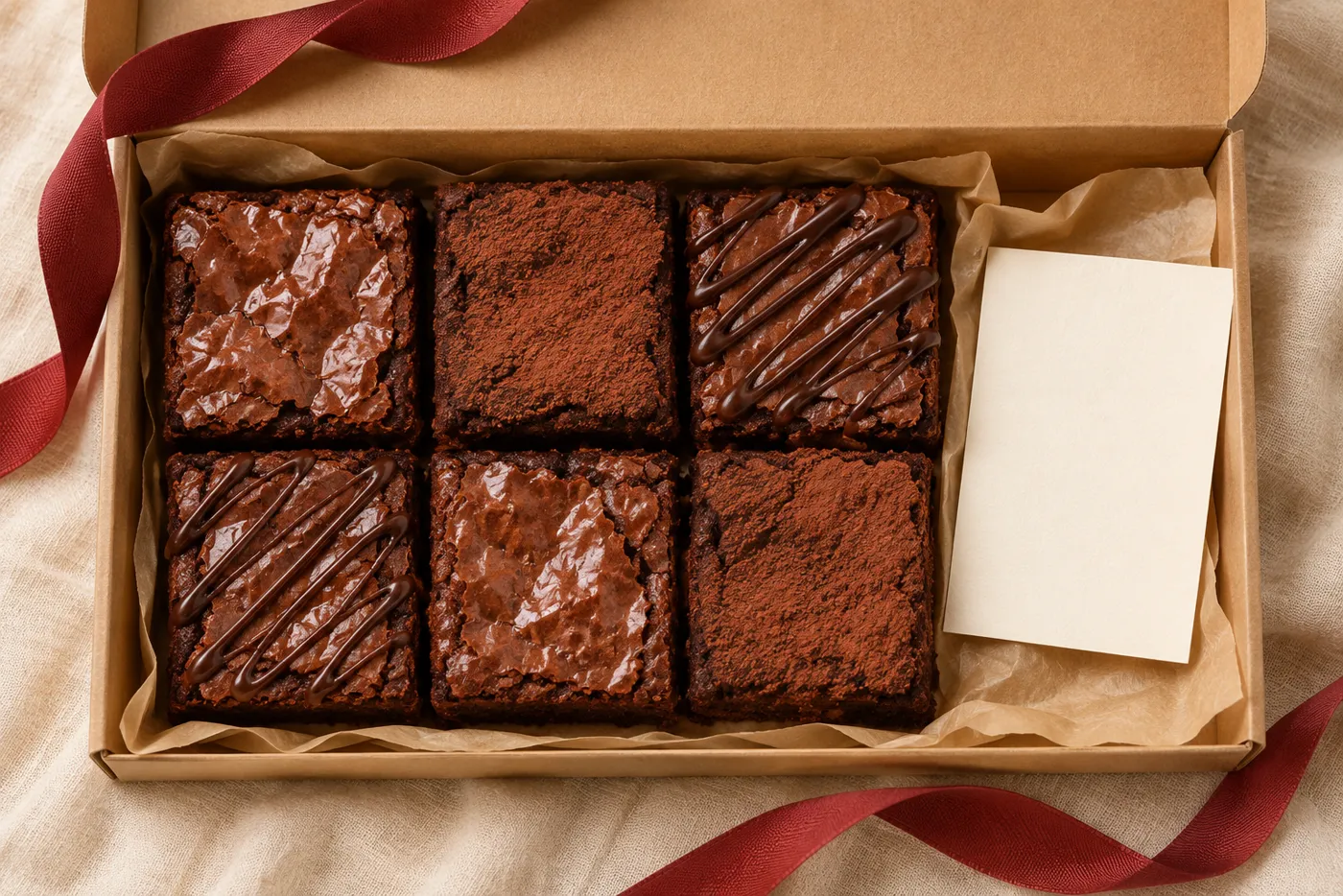
An open kraft gift box with six brownies in two rows and a blank cream note card
How to use this guide. This guide is yours to run. Every section starts with what it is and why it matters, so you can see the reason before you do the step. Use the buttons at the top to jump around. Start in section 7: fill in the worksheet once, and the guide writes your WhatsApp messages, catalog lines, bio link and captions for you to copy. Your tick boxes and worksheet are saved on this phone only. If a real blocker stops you, section 6 says exactly when and how to reach out.
A friendly eye above a phone showing a heartSection 1

What we found, and why it is not turning into orders

What this is

A health check of your Instagram and Meta account for the 28 days from 26 October to 22 November 2026.

Why it matters

You cannot fix what you cannot see. The numbers show where interested people are lost, so you fix that spot first.

The numbers, in plain words

55.2Kviews in 28 days, up 66%
30.9Kdifferent people reached
1.1Kpeople visited your profile
0taps on a link to order
134new followers (1,449 in total)
3posts in 28 days
0ads run in either ad account
0followers on your Facebook Page

Source: Instagram and Meta Business Suite, 26 October to 22 November 2026. Followers by place and age are lifetime figures.

Picture: where interested people leak out

The leaky funnel30.9 thousand people reached, 1.1 thousand visited the profile, 0 tapped a link, orders are not counted. 30.9K people reached in 28 days 1.1K visited your profile 0 tapped a link orders: not counted Leak 196 in 100 neveropen your profile Leak 21,100 curious peoplehave nothing to tap Orders only come by direct message, so no one can count them.
Of every 100 people who saw your posts, about 4 looked at your profile, and none could tap a link to order. Orders only come by direct message, so nobody has counted them. The picture is not to scale.
The good news: the top of the funnel is already working. People like what you bake: about 5 in every 100 views led to a like, comment, share or save, which is a healthy rate. Your attention is real. It just has nowhere to go.

Why it is not turning into orders

1. There is no way to order from your profile

1.1K people visited and 0 tapped a link. Ordering means finding the message button and writing from scratch. Most people will not.

2. There is no clear thing to buy

The menu is wide and the posts show no price, no box and no order-by date. A newcomer cannot tell what to choose first or when to order.

3. The content shows making, not buying

The two videos reached 1,420 and 2,530 views, and brought 2 new followers between them. People watch how it is made, but the posts do not say who it is for or how to get it. Showing the method can also give away what makes your brownies yours.

4. There is little proof to trust

You have a reviews highlight, but no customer words on the posts, no "baked today" label and no steady look that says "safe to order from".

5. One post carries the whole account

One post on 19 November has 21,413 of your 55,219 views, about 39%. It also gave 211 shares and 95 saves. Without it, daily views were about 300 to 900. When one post fades, the account goes quiet.

6. Much of the audience cannot order

Only 35% of your followers live in Surat, and 38% live outside India. Reach spent on people who cannot buy a fresh box does not help the till.

7. Posting is too rare to build a habit

There were 3 posts in 28 days, and none at all between 2 and 18 November. Each quiet stretch means starting again from low views.

8. A free second audience is unused

Your Facebook Page has 0 followers and 5 views in 28 days. A first search also found no Google or Justdial listing, so check whether you have one (task 8).

Picture: views by day, last three weeks

Daily viewsDaily views were about 300 to 900 from 2 to 18 November, then 2,479 on 19 November, 6,254 on 21 November and 13,283 on 22 November. 300 to 9002 to 18 Novdaily, typical 2,47919 Nov 6,25421 Nov 13,28322 Nov
Daily views sat around 300 to 900 until the 19 November post lifted them. That is one lucky post, not a habit. The plan is to make the high days normal.

Who follows you

Where they live

Surat35%
Rest of India27%
Outside India38%

Outside India: Pakistan 5%, Indonesia 5%, Sri Lanka 2%, UAE 2%, UK 2%.

Who they are

Women82%
Men18%
Aged 25 to 4457%

Your buyer is most likely a woman aged 25 to 44 in Surat. Speak to her with taste and trust, never with faces.

Not seen yet: your order and sales counts (orders come by direct message and were not opened), and your Google and Justdial listings. You will see your real order numbers once you start the order log in task 6.
A phone with chat bubbles and a brownie boxSection 2

The funnel: the path from "nice brownies" to "order sent"

What this is

A funnel is the path a stranger walks from first seeing you to buying, and then to buying again. Like a shop: someone walks past, looks in, steps inside, picks something, pays, and comes back.

Why it matters

Right now strangers walk past and look in, but the door is hard to find. A funnel puts a clear door, a clear shelf and a clear till in place, so the attention you already get turns into orders.

The five steps, at a glance

Step 1

Be seen

People in Surat find you.

Step 2

Show who it is for

They see why a box fits them.

Step 3

One easy offer

A clear box at a clear price.

Step 4

Order easily

Three taps to a WhatsApp order.

Step 5

Bring them back

Today's gift is next month's order.

How an order should flow

A gift in three tapsTap the Instagram link, choose a box in the catalog, send the gift form and pay. 1Tap the linkin the Instagram bio 2Choose a boxin the WhatsApp catalog 3Send the detailsnote, address, date, pay Then you bake it fresh and deliver it with the note.
A gift box waiting on a doorstep
1

Be seen in Surat

Reach the people who can actually order

What it does

Puts your brownies in front of people in Surat who might want to gift one.

How to build it

  1. Post three times a week: Monday, Wednesday and Saturday. Choose the time your Insights show most followers are active.
  2. Use one hook. Start every post with "Skip the cake." so people remember one idea.
  3. Tag Surat on every post. Add the location tag and say "baked in Surat".
  4. Use 5 to 8 hashtags in the first comment, not a long wall. Starter set: #SuratFood #SuratFoodie #SuratBakery #SuratDesserts #GujaratFood #FudgyBrownies #BrowniesOfInstagram. After two weeks keep the ones that bring views.
  5. Set up your Facebook Page: name, area, hours and a WhatsApp button, and post the same three posts there.
  6. Claim your Google Business Profile (free). Search "Google Business Profile", add the business as a bakery in Surat, add your hours, your WhatsApp number and five photos, then verify it with the code Google sends.
  7. Ask local food and gifting pages to feature you, only pages that show food or products. Write a short, friendly message yourself and send it only to pages you choose.
What good looks like: more of your views come from Surat, and your profile visits rise week by week.
2

Show who it is for

Give a reason to choose a box

What it does

Tells people which box fits their moment, so they do not have to guess.

How to build it

  1. Use the six occasions (section 3). Name one occasion in every post.
  2. Show proof every week. Post customer words as pictures of messages, first name only, with permission.
  3. Put a "Baked fresh in Surat" label and the baked date on every box and show it in the photo.
  4. Show the doorstep. A box on a doorstep tells people it arrives safely.
What good looks like: people save and share your posts, and ask "which box for a birthday?"
3

One easy offer

A short menu with clear prices

What it does

Gives people a few clear boxes to pick from instead of a wide menu.

How to build it

  1. Three gift boxes: the Mini Box (2 to 4 brownies, the thank-you box), the Town Box (6 brownies in 3 flavours, the hero) and the Share Box (12).
  2. Two group packs: an office pack and a wedding favour pack, each for 10 or more.
  3. "Gift a friend": the buyer pays, you deliver in Surat with their note.
  4. A free printed note card with every gift box. It costs little and makes the box a gift.
  5. One price per box. Do not stack discounts. Work out your price from ingredients, packaging, delivery and your time, and use the worksheet in section 7.
  6. An order-by date on every post, so people know when to decide.
What good looks like: a customer can name the box they want after one look at the catalog.
4

Make ordering effortless

This is the biggest leak, so fix it first

What it does

Puts a clear door on your profile. A tap on your link opens a WhatsApp chat that already knows what to ask.

How to build it

  1. Install WhatsApp Business (free) on your order phone, and sign in with your order number. Add your business name, hours and Surat address.
  2. Build the catalog. In WhatsApp Business open your business tools, choose Catalog, and add each box with a photo, a price and a short line. Put the gift boxes first.
  3. Set a greeting and an away message, and save five quick replies: menu, prices, how to order, delivery area and order-by dates.
  4. Make your order link. Use this form, with your own number in place of the digits: https://wa.me/91XXXXXXXXXX?text=Hi%20Brownie%20Town%2C%20I%20would%20like%20to%20gift%20a%20brownie%20box. Put it in Instagram: Edit profile, then Links.
  5. Test it on two phones. The link must open a chat with the message already written.
  6. Pin the "How to gift in 3 taps" post at the top of your profile.
  7. Write every order down in the order log (section 6), or use WhatsApp labels: New, Confirmed, Paid, Delivered.
Messages you can copy and use

Change the words to sound like you.

Greeting

Assalamu alaikum, welcome to Brownie Town, Surat. Baked fresh to order. Reply with: 1 for the menu, 2 for prices, 3 for how to order, 4 for where we deliver.

The gift order form

To send a gift, tell us: 1. Which box (Mini, Town or Share) 2. The occasion 3. What to write on the note 4. Who it is for, their area and phone 5. The date and time you want it delivered We confirm within 15 minutes in shop hours. Order two days ahead for best choice.

Order confirmed

Your gift is confirmed: [box] for [name], on [date and time]. Note: "[their words]". Total [amount]. Please pay to [your payment method]. It will be baked fresh for you.

Delivered, and a review request

Your gift has been delivered. We hope it made someone smile. If you have a minute, a few words about how it went would mean a lot to a small family bakery. May we share your message with only your first name? Reply YES or NO.
What good looks like: link taps go from 0 to 50 or more in a month, and every order is written down.
5

Bring them back

Turn one gift into many

What it does

Keeps in touch after the first order, so a happy buyer sends another gift.

How to build it

  1. Send three friendly messages for each order: confirmed, ready or on its way, and delivered.
  2. Ask for a review in the delivered message. Only ever real reviews, never bought or invented.
  3. Thank every customer near the end of the month.
  4. Use "Gift a friend" so each buyer becomes a sender. The receiver sees your brand and may order next.
  5. Offer offices a repeat. If an office ordered once, message them before the next occasion.
  6. Ask permission before you save anyone's birthday or occasion date to remind them next year.
  7. Plan the next seasons: winter weddings, then Ramadan and Eid.
What good looks like: a growing share of orders come from people who ordered before, or from a friend's gift.
Speech bubbles with five starsSection 3

Content: what to make, week by week, and why

What this is

Content is what you post: photos, short videos and stories. Every post has one job: to bring someone one step closer to ordering.

Why it matters

You are a dessert shop, not a cooking channel. People should leave a post wanting a box and knowing how to get it, not knowing how to make it.


A brownie with a shiny crackly top and a wisp of steamGlossy chocolate glaze pouring over a brownie

The crack and the pour are the best parts to show. They look delicious and give nothing away.

Your family's standards, in every post

  • No faces, women, girls or silhouettes in any photo or video. Hands only if you approve them, and only a male family member's.
  • Sound: natural kitchen sounds or a male voice-over. Music only if you approve it.
  • Family-friendly words and gifts. No alcohol-flavoured items or imagery. Brownies only, no cakes.
  • Real reviews only, shared with permission, first name only. Crop out profile pictures.

What to show, and what to keep private

Show

  • The crack, the cut, the pour, the steam
  • Packing, sealing, the date label, the ribbon
  • The note card, the box, unboxing
  • Doorstep deliveries (the box only)
  • Customer messages as text
  • A clean counter, the oven, sealed trays

Keep private

  • Measurements, weights, ratios
  • Ingredient lists and labelled tubs
  • Step-by-step method, temperatures, timings
  • Which special ingredients you use
  • Recipe cards or notes in the background
  • Captions that explain how it is made
How to keep it semi-shown: cut away before ingredients go in, turn labels away, speed up the middle, and end on the finished brownie. When someone asks for the recipe, reply: "That one is our family secret. The best way to learn it is to taste it."

Your weekly rhythm

DayPostStory
MondayA short video of the brownie (crack, pour, unboxing)Baked today, with the order-by date
WednesdayA how-to, packing, or occasion postOrder-by reminder
ThursdayNo postCustomer words of the week
SaturdayCustomer words, offer or "Who is it for?"Packing, ready for pick-up

Why three posts: three a week builds a habit people notice, without exhausting a small team. Avoid posting at prayer times and at Friday midday.

The six occasions

Name one occasion in every post, so a viewer thinks "that is for me".

Birthday, without the cake

For the person who has everything or does not want a whole cake. A Town Box with a candle in one brownie.

Thank you

For a teacher, neighbour or colleague. A Mini Box and a short note.

New baby, new home, get well

For a family who needs something easy to share. A Share Box.

Wedding and engagement favours

A small box for each guest or household, 10 or more.

The office

Year-end thanks for staff or clients. 10 or more boxes with a printed note.

A gift for a friend in Surat

The buyer pays and tells you who and where. You deliver with their note.

A row of five small matching favour boxes with ribbonsA sealed kraft brownie box tied with a red ribbon and a blank seal sticker

Post ideas you can copy

Four ready examples. Each has a hook, a picture idea and a caption. Tap "Copy caption" and swap in your own details.

An open gift box with six brownies and a blank note card
Post 1 · short video

Skip the cake.

skip the cake. gift a brownie box. six brownies, three flavours, a note in your words. order on whatsapp: link in bio.

A sealed brownie box with ribbon and a blank seal sticker
Post 5 · packed with care

Packed fresh, sealed with a note.

baked today in surat. sealed with care. your note goes inside before the lid closes. order by Saturday for Sunday delivery.

Three small sealed brownie boxes on a tidy office desk
Post 9 · gifts for the office

A thank-you for the whole team.

say thank you with something warm. office packs of 10 or more, a printed note on each. whatsapp us to plan yours.

A gift box on a doorstep in front of a wooden door
Post 8 · doorstep

Delivered to their door.

send a brownie box to someone you love in surat. you pay, we deliver it with your note. whatsapp us: link in bio.

The customer words card

Customer words are your strongest proof. Use one simple look every time so it becomes your signature.

"Best gift I have sent this year."
First name only · used with permission
Baked fresh in Surat
  1. Ask the customer: "May we share your message with your first name?" Save their yes.
  2. Screenshot the message and crop out the profile picture and phone number.
  3. Put it on the same cream card with the same stamp: "Baked fresh in Surat".
  4. Save it to your Reviews highlight.

How to film a post in 20 minutes

  1. Light: put the brownies by a window in daylight. No flash.
  2. Background: a plain cream cloth or a clean counter.
  3. Phone: upright, steady on a stack of books, lens wiped clean.
  4. Three shots: wide (the box), close (the crack or the pour), detail (the note or label). Each 3 to 5 seconds.
  5. Sound: keep the natural kitchen sound. Do not add music until you have chosen your standard.
  6. Check: no people, no recipe, no labels with ingredients, and nothing alcohol-related in the frame.
Hook ideas: "Skip the cake." · "Wait for the crack." · "Wait for the pour." · "Baked today. Gone by tonight." · "Order by Saturday, delivered Sunday." · "What is inside a Town Box?" · "Fudgy in the middle."
A soft map with a pin and a delivery circleSection 4 · Phase 2

Ads: switch them on after the order link works

What this is

An ad is paid reach. You pay Meta to show one of your posts to more people in Surat. A click-to-WhatsApp ad opens a WhatsApp chat with you when tapped.

Why it matters

Ads multiply what you already have. If the funnel leaks, ads only pour more water into the leak. So the first 30 days build the funnel and ads come second, once there is a door worth sending people to.

No ad in the first 30 days. You decide, and you pay Meta yourself. Nobody spends money on your behalf. Tick the go/no-go list below, then run a small test.

Step 1: the go/no-go checklist

Start ads when every box is ticked. Until then, put your energy into the funnel and the content.

0 of 8 done

Step 2: which ad to run

The ad type

A click-to-WhatsApp ad on one gift box. The tap opens your catalog chat, which is where orders already happen.

The picture

The Town Box photo or a short crack-and-pour clip. Product only, no people, no cake.

The words

Headline: "Skip the cake. Gift a brownie box." Text: the price, the delivery area and the order-by date. Button: "Send message".

Who sees it

People aged 22 to 45 within your delivery area in Surat. Do not aim at all of India. Most of your followers are women, so expect most chats to come from women.

The Town Box, the picture for the first ad
How to set it up: in Instagram, open the post and tap Boost, choosing a goal of getting more messages. Or in Meta Ads Manager choose the messaging goal and WhatsApp. Menu names change from time to time, so follow the screen. Before you pay, check the area, the age range, the daily budget and the number of days.

Step 3: how much to spend Estimate

These are starting ranges in rupees, based on typical local food ads. They are not measured for your account. Tax may be added on top.

RoundDailyDaysTotalChats Estimate
Test A₹2004₹800about 20 to 80
Test B₹3005₹1,500about 40 to 150
Second round (only if the test works)₹300 to ₹5007 to 10₹2,100 to ₹5,000read from the test

Chats use a rule of thumb of ₹10 to ₹40 per WhatsApp chat. Your real cost may be lower or higher. The test exists to find out.

Step 4: what it should yield, and how to read it

An ad gives you a chat, not an order. What matters is how many chats become orders, and what each order costs you to win. Try your own numbers below. The starting numbers are examples only.

You spend0
Chats0
Orders0
Cost per order0
Profit minus spend0

An estimate, not a promise. Your real numbers will replace the examples after the first test.

Five numbers to read when the test ends

NumberWhat it tells youWhere to find it
ReachHow many people saw itAds Manager or the post's Insights
Chats startedHow many tapped and wrote to youAds Manager, and your WhatsApp
Cost per chatSpend divided by chatsAds Manager
OrdersThe truth: how many paidYour order log
Cost per orderSpend divided by orders. Compare to your profit per boxYour own sum

Simple rules: stop, keep, scale

Stop

  • ₹500 spent and no chats
  • Frequency above 3
  • You cannot fulfil more orders
  • Cost per order is higher than the profit on a box

Keep running

  • Chats arrive but orders are few: fix the replies, the catalog or the price first
  • Give it the full test days before judging

Scale slowly

  • Cost per order is below your profit, twice in a row
  • Raise the daily budget by about 20% every 3 days
  • Keep the picture and words that worked
Never: promise a delivery you cannot make, run an ad with people or a cake in the picture, or spend more than you can afford to lose while learning.
A wall calendar with one date ringedSection 5

The 30-day plan, day by day

What this is

A calendar of what to do each day from Monday 30 November to Tuesday 29 December 2026. Each day links to the task or the caption you need.

Why it matters

A plan you can tick off beats a plan you remember. Each week has one goal, a check, and a clear thing to offer.

Your time: about 2 to 3 hours a week Estimate. Tap a box to tick it. Ticks stay on this device only. The plan works the same without ticking. Days link to the exact task in section 7 or to your caption bank.

Wed 25 Nov to Sun 29 Nov

Get ready

Everything is ready on Day 1: your worksheet filled, WhatsApp set up, your order link live, the first three posts ready.

Content this week

Nothing is posted yet. You are building the door and the shelf.

Offer this week

Your prices, set in the worksheet.

Success check

Done when: tasks 1 to 11 in section 7 are ticked, and a friend can order from your profile.

Mon 30 Nov to Sun 6 Dec (days 1 to 7)

Week 1: Skip the cake

Open the door. Anyone who likes the idea can order a gift in three taps.

Content this week

Short video "Skip the cake". Carousel "How to gift in 3 taps". Customer words. Poll story. Story: five things to write on the note.

Offer this week

The Town Box with a free printed note card. One price, no discount stack.

Success check

Check on day 7: 10 or more link taps, every order logged, which occasion won the poll.

Mon 7 Dec to Sun 13 Dec (days 8 to 14)

Week 2: Occasions and proof

Show who each box is for, and show that real customers ordered and liked it.

Content this week

"The crack". "A box, packed with a note". "Who is it for?". Story Q and A: who would you gift a brownie box to?

Offer this week

"Gift a friend": you pay, we deliver to someone in Surat with your note.

Success check

Check on day 14: 30 or more link taps, 3 or more customers happy to share a review, Google profile verified.

Mon 14 Dec to Sun 20 Dec (days 15 to 21)

Week 3: Gift season

The busiest gifting week. Individuals and offices order, with clear order-by dates.

Content this week

"The pour". Customer words and a doorstep post. "Gifts for the office". A wedding favour idea in a story.

Offer this week

Office pack, 10 or more boxes, with a printed note or a name sticker. Wedding favour boxes, 10 or more.

Success check

Check on day 21: a first office or favour enquiry, order-by dates clear everywhere.

Mon 21 Dec to Tue 29 Dec (days 22 to 30)

Week 4: Last orders and thank you

Catch the last gift orders, thank every customer, and decide the next 30 days.

Content this week

The Town Box unboxing. The clean kitchen. Last orders and a thank you. Story: "Our month in boxes" with counts only, no names.

Offer this week

A Mini Box as a New Year thank-you. A Share Box for family tables.

Success check

Check on day 30: every number in the goals table in section 6, from your order log.

0 of 35 doneDay 1 is Mon 30 Nov
Four rising barsSection 6

Run it yourself

What this is

The habit that keeps your brand growing: a 30-minute routine every Sunday, a table to track your numbers, and a clear rule for the few times you should ask for help.

Why it matters

A brand grows from small, steady checks, not a one-off push. You are in charge. Thirty minutes a week tells you what worked, so you can do more of it.

Every Sunday, 30 minutes

  1. 5 minutes: read your numbers. Open Instagram Insights and write down views, reach, profile visits, link taps and new followers for the week.
  2. 10 minutes: update the order log. Make sure every order from the week is written down. Count orders, gift orders and orders with a note card.
  3. 5 minutes: collect proof. Save any customer message you may share. Ask the last three customers for permission, using the message in task 9.
  4. 10 minutes: plan next week. Pick the three posts from the caption bank, the offer, and the order-by date. Check your quick replies are still right.

0 of 5 done

Your tracking table

Copy this into a notebook or a spreadsheet. One row a week.

WeekPostsViewsProfile visitsLink tapsOrdersGift ordersReviews to shareNew followers
Week 1
Week 2
Week 3
Week 4

Your order log

DateCustomerBoxNote textDeliver toNeeded onPaidHow they found you
Bio, story, friend, repeat

What good looks like by day 30 Goals

MeasureTodayGoal by day 30
Taps on your order link050 to 100
Orders written downNot countedEvery order
Gift orders with a note cardNot tracked8 in 10
Posts3 in 28 days12 in 30 days
A typical video1,420 to 2,530 views2,500 or more, with 10 or more shares
New followers134 in 28 days150 to 250
Customer reviews you can shareNone on your posts6 or more
Facebook Page followers050 to 150

Goals and estimates, not promises. Set your own order goal on day 14 from your real count.

If this happens, do this

You seeIt probably meansTry this
Good views, few link tapsPeople like it but are not asked to actAdd "Order on WhatsApp" and the order-by date to the first lines
Link taps, few ordersThe chat or the catalog is unclearCheck the greeting, the prices, and reply faster
Few viewsThe hook or the timing is weakStart with "Skip the cake." and post when your followers are active
Many chats, few payingPrice or delivery surprisesShow the price and delivery in the post and the catalog
You are overwhelmedMore orders than you can bakeMove the order-by date earlier or cap the boxes per day

When to reach out, and how

What this is

You run this yourself. Your mentor is there for the few things you cannot solve alone, not for every step.

Why it matters

It keeps you moving fast, and it means a real problem gets attention quickly instead of getting lost among small questions.

Reach out when

  • An account is locked, restricted or disabled and you cannot sign in or recover it.
  • Instagram, WhatsApp, Facebook or Google tells you a feature is not available to you, after you tried the step twice.
  • You cannot make a price, capacity or delivery decision after using the worksheet.
  • A customer reports an allergy, a health problem or a serious complaint.
  • You get a policy warning, a payment issue, or a tax or invoice question.
  • You have ticked every go/no-go box in section 4 and want to start ads.

Do not reach out for

  • How to do a step that is written in this guide. Re-read it.
  • Wording choices for a caption or a message. Pick one and go.
  • A price you are still thinking about. Decide with the worksheet.
  • A slow day. Check the "If this happens" table above.

Your help message

Fill in these three boxes. The message below writes itself, with your business name and number. Copy it and send it to your mentor on WhatsApp.

Assalamu alaikum. I need help with: {{htask}}. Business: {{biz}}, WhatsApp {{num}}. What I tried: {{htried}} What I see: {{hsee}} I have read the step and tried it twice.

Send the copied message to the WhatsApp number your mentor gave you.

Plain glossary

Reach
How many different people saw your post at least once.
Views
How many times your posts and videos were seen. One person can view more than once.
Profile visit
Someone tapped your name to look at your page. They are curious and close to ordering.
Link tap
Someone tapped the link in your bio. This is the number that was 0.
Funnel
The path a stranger takes from first seeing you to ordering. People drop out at each step, so fix the biggest leak first.
Hook
The first line or first second of a post that makes someone stop scrolling.
Call to action
The one thing you ask the person to do, for example "Order on WhatsApp".
Conversion
When someone does what you wanted, for example sends a message or places an order.
Catalog
A menu inside WhatsApp Business with photos, prices and descriptions of what you sell.
Quick reply
A saved message you can send in two taps, like your prices or how to order.
Order log
One place where every order is written down: who, what, when, how much.
Lead time
How many days ahead an order must be placed so you can bake it fresh.
Order-by date
The last day someone can order for a given gifting date.
Saves and shares
When people keep your post or send it to a friend. These are the strongest signs a post is useful.
Click-to-WhatsApp ad
An ad that opens a WhatsApp chat with you when tapped.
Cost per chat
Ad spend divided by the number of WhatsApp chats it started.
Cost per order
Ad spend divided by the number of orders it brought. The number that decides if an ad is worth it.
Frequency
How many times, on average, the same person has seen your ad. Above 3 is usually too many.
Insights
The free numbers page inside Instagram that shows reach, views, profile visits and followers.
A brownie gift box with a bow and heartSection 7

Your set-up: worksheet and action path

What this is

Eleven tasks that take you from nothing to a working order path. Task 1 is a worksheet: your prices, limits and choices. Every message, catalog line, bio text and caption on this page then fills itself from your answers.

Why it matters

You do not need to wait for anyone. You decide, you set it up, and you tick it off. When you finish tasks 1 to 11, your order path is live and Day 1 of the plan can start.

Your first job: task 1, the worksheet. Everything else below uses it. Do the tasks in order. Tick each one when its "Done when" is true.
0 of 11 tasks doneSaved on this phone

Your worksheet

Fill this in once. It is saved on this phone only, and nothing is sent anywhere. Every text below this worksheet fills itself from your answers, so you can copy it straight into WhatsApp, Instagram and your catalog. You can change an answer any time.

0 of 0 filled
Your business
Digits only, with the country code: 91 then your 10 digits. No spaces, no plus sign.
Your prices (in rupees)
Put 0 if delivery is free.

Work out each price from your ingredients, packaging, delivery and your time. Pick one price per box and do not stack discounts. The examples above are only to show the format, not advice.

How much you can bake and deliver
Your flavours
Dates and packaging
Your family standards (choose)
For your ads later
Needed only for the ad calculator in section 4.

The eleven tasks

1

Fill in your worksheet

About 20 minutes · Needs: your prices and your limits

What to do

Write down your prices, how much you can bake, where you deliver and your flavours. Every text below uses your answers.

How, step by step

  1. Scroll up to the worksheet in this section and fill every box. If you are not sure of a price, decide it now: the cost of ingredients, packaging, delivery and your time, plus a fair profit.
  2. Be honest about capacity. Choose a number of boxes per day you can bake without stress. You can raise it later.
  3. Choose your family standards (sound, hands, year-end wording). These are your decisions.
  4. Look at the counter above the worksheet. It shows how many boxes are filled. Aim for every box.
Done when: the worksheet counter shows every box filled.
If you are stuck

A price or capacity decision you truly cannot make is one of the real reasons to reach out. A smaller worry (for example the exact wording) is not: choose and move on, you can change it.

Try the step twice and re-read it before you reach out. If it still blocks you, use the help message in section 6.

2

Move your order phone to WhatsApp Business

About 20 minutes · Needs: a phone and your order number

What to do

Install WhatsApp Business (free) on the phone that takes your orders. It adds a catalog, quick replies and labels that normal WhatsApp does not have.

How, step by step

  1. Install "WhatsApp Business" from the Play Store or App Store. It is a separate app with a green "B".
  2. Open it and register with your order number (the one in the worksheet). Enter the code you receive by text or call.
  3. If this number already has normal WhatsApp, the app offers to move your chats across. Say yes to keep your customers. Make a backup first.
  4. Set your business name, a profile picture (your logo or a brownie photo, no people), category "Bakery", and your Surat address.
Done when: opening WhatsApp Business shows your business name, and your profile page lists your hours and address.
If you are stuck

Reach out only if the number will not verify after two tries, or the account is blocked or banned. Do not reinstall repeatedly: that can delay the verification code.

Try the step twice and re-read it before you reach out. If it still blocks you, use the help message in section 6.

3

Set your greeting, away message and quick replies

About 25 minutes · Needs: the worksheet

What to do

Save the five answers customers ask for most, so you can send each one in two taps. Add a welcome message so every new chat starts well.

How, step by step

  1. In WhatsApp Business open Settings, then Business tools.
  2. Open "Greeting message" and paste the greeting below. Switch it on for new customers.
  3. Open "Away message" and paste the away message below. Set it to send outside your hours.
  4. Open "Quick replies" and add each of the five below. Type the shortcut first, then the message. After this, typing "/" in any chat shows them.

Greeting message

Assalamu alaikum, welcome to {{biz}}, Surat. Baked fresh to order. Reply with: 1 for the menu, 2 for prices, 3 for how to order, 4 for where we deliver.

Away message

Thank you for messaging {{biz}}. We are away right now. We reply during {{hours}}. We will answer as soon as we are back. To order a gift, send the gift order form.

Quick reply: /menu

Our gift boxes: Mini Box, Town Box (6 brownies in 3 flavours: {{flist}}) and Share Box (12 brownies). Office and wedding favour packs for 10 or more. Every gift box comes with a free printed note card.

Quick reply: /prices

Mini Box ₹{{mini}}. Town Box ₹{{town}}. Share Box ₹{{share}}. Office pack ₹{{office}} each (10 or more). Wedding favour pack ₹{{favour}} each (10 or more). Delivery in Surat ₹{{deliv}}. Every gift box has a free printed note card.

Quick reply: /order (the gift order form)

To send a gift, tell us: 1. Which box (Mini, Town or Share) 2. The occasion 3. What to write on the note 4. Who it is for, their area and phone 5. The date and time you want it delivered We reply within {{reply}} minutes during {{hours}}. Please order {{lead}} days ahead.

Quick reply: /delivery

We deliver to {{areas}}. {{pickup}} Please order {{lead}} days ahead. Everything is baked fresh to order.

Quick reply: /dates

Order by {{d1}} for the first gifting wave, and by {{d2}} for New Year gifts.
Done when: a friend messages your number and receives the greeting, and typing "/prices" shows your price message.
If you are stuck

The Business tools menu can look slightly different in each app version. Look for "Greeting message", "Away message" and "Quick replies" under Business tools. Reach out only if one of those three does not exist in your app after you update it.

Try the step twice and re-read it before you reach out. If it still blocks you, use the help message in section 6.

4

Build your WhatsApp catalog

About 45 minutes · Needs: photos, prices

What to do

Put your gift boxes in a catalog inside WhatsApp, with a photo, a price and a short line. Customers can browse without asking.

How, step by step

  1. In WhatsApp Business open Settings, then Business tools, then Catalog, then "Add new item".
  2. Add a photo, the item name, the price and the description. Copy each from below. Use your own photo of the box, or one of the sample photos in this guide until you have yours.
  3. Add the gift boxes first (Mini, Town, Share), then the packs.
  4. Open your catalog from a friend's phone to check it looks right.

Mini Box: name, price, description

Mini Box ₹{{mini}} 2 to 4 fudgy brownies in a sealed box, with a free printed note card. A thank-you gift. Baked fresh in Surat. Order {{lead}} days ahead.

Town Box: name, price, description

Town Box ₹{{town}} 6 brownies in 3 flavours ({{flist}}), a free printed note card and a ribbon. The gift box. Baked fresh in Surat. Order {{lead}} days ahead.

Share Box: name, price, description

Share Box ₹{{share}} 12 fudgy brownies for a family or a small office, with a free printed note card. Baked fresh in Surat. Order {{lead}} days ahead.

Office pack: name, price, description

Office pack (10 or more boxes) ₹{{office}} each A seal sticker and a printed note on every box. Message us to plan your order. Order {{lead}} or more days ahead.

Wedding favour pack: name, price, description

Wedding favour pack (10 or more) ₹{{favour}} each A small box for each guest or household, with a printed card. Message us to plan your order.

Gift a friend: name, price, description

Gift a friend Box price + ₹{{deliv}} delivery You pay, we deliver your box to someone in Surat with your note. Send the gift order form.
Done when: your catalog shows at least the three gift boxes with a photo and price, and a friend can see it.
If you are stuck

If "Catalog" is missing from Business tools after updating the app, that is a real blocker. If you just need help choosing a photo, choose the clearest one: it does not need to be perfect.

Try the step twice and re-read it before you reach out. If it still blocks you, use the help message in section 6.

5

Make your order link and set your Instagram bio

About 15 minutes · Needs: your WhatsApp number

What to do

Put one link in your Instagram bio that opens a WhatsApp chat with the first message already written. This is the fix for "0 taps".

How, step by step

  1. Copy the link below. It is built from your number and business name in the worksheet.
  2. Test it first: tap "Open this link" below. It should open WhatsApp with a ready message to your own number.
  3. On Instagram open Edit profile, then Links, then Add external link. Paste the link. Give it the title "Order a gift".
  4. Paste the bio text below into your Bio box.
  5. Open your profile on a second phone and tap the link to check it works.

Your order link

Open this link

Your bio text

Skip the cake. Gift a brownie box. 🤎 Baked fresh in Surat. Order a gift on WhatsApp ↓

Your WhatsApp business profile description

{{biz}}: fudgy brownies baked fresh to order in Surat. Gift boxes with a free printed note card. Replies: {{hours}}.
Done when: tapping the link on a second phone opens a WhatsApp chat with your business and the message ready.
If you are stuck

If Instagram refuses the link or says it cannot be added, check there is no space in the number and that it starts with 91. If it still fails, or if your account is locked or restricted, that is a real blocker.

Try the step twice and re-read it before you reach out. If it still blocks you, use the help message in section 6.

6

Set up your order log and labels

About 15 minutes · Needs: WhatsApp Business

What to do

Write every order down in one place so you can count them. This is how you will know what is working.

How, step by step

  1. In WhatsApp Business open Business tools, then Labels. Make four labels: New, Confirmed, Paid, Delivered.
  2. Put a label on every order chat. Change it as the order moves along.
  3. Also keep the order log table in section 6 in a notebook or a spreadsheet. One row for each order.
  4. On Sunday, count the orders from the week. These are the numbers you will watch.
Done when: you have four labels and every current order chat has one.
If you are stuck

Labels are a simple feature. If you cannot find them after updating the app, use a notebook for now and carry on.

Try the step twice and re-read it before you reach out. If it still blocks you, use the help message in section 6.

7

Prepare your packaging: note cards, seal sticker, date label

About 1 hour, plus printing time · Needs: your printer

What to do

Make the box feel like a gift: a printed note card, a seal sticker that says "Baked fresh in Surat", and a label with the baked date.

How, step by step

  1. Choose or buy your box, ribbon and card stock (write them in the worksheet).
  2. Design the card with a simple cream background and your brown. Put the words below on it. Leave a space for the customer's own note.
  3. Order 50 seal stickers that say "Baked fresh in Surat" and a pack of small labels for the baked-today date.
  4. Ask your printer for a small test run first. Check the colours before printing 100.

Note card: birthday

Happy birthday, [name]. Skip the cake, have this. With love from [your name].

Note card: thank you

Thank you for everything, [name]. With love from [your name].

Note card: new baby, new home, get well

Thinking of you all. With love from [your name].

Note card: wedding favour

With thanks for sharing our day. [the couple's names]

Note card: office

Thank you for a great year. From [company].

Seal sticker words

Baked fresh in Surat {{biz}}
Done when: you have one finished box packed with a card, a sticker and a date label, ready to photograph.
If you are stuck

A printing question is not a reason to reach out: ask a local printer. A design or wording choice is yours.

Try the step twice and re-read it before you reach out. If it still blocks you, use the help message in section 6.

8

Set up your Facebook Page and Google Business Profile

About 40 minutes · Needs: your phone number

What to do

Be easy to find. Your Facebook Page is a free second home for your posts. Your Google Business Profile makes you appear when someone searches for brownies in Surat.

How, step by step

  1. Facebook: open your Page, then Edit. Fill the name, category "Bakery", the area, your hours, and add a WhatsApp button that goes to your order link.
  2. Paste the description below as the Page "About".
  3. Google: search "Google Business Profile", choose "Manage now" and add your business. Choose "Bakery" as the category.
  4. Choose that you deliver, add the areas you serve in Surat, your hours and your WhatsApp number, and add five photos.
  5. Verify by the method Google offers (a text, a call or a short video). Write down the date.

Description for Facebook and Google

{{biz}} bakes fudgy brownies fresh to order in Surat, and gift boxes with a printed note card for birthdays, thank-yous, weddings and offices. We deliver to {{areas}}. Order on WhatsApp.
Done when: your Facebook Page shows your hours and a WhatsApp button, and Google says your profile is verified (or "verification pending").
If you are stuck

Google verification sometimes takes a few days. That is normal. Reach out only if Google rejects your verification twice, or the business is flagged as a duplicate.

Try the step twice and re-read it before you reach out. If it still blocks you, use the help message in section 6.

9

Ask five happy customers for permission

About 20 minutes · Needs: past customers

What to do

Collect real customer words you may share. Proof is what makes a stranger trust you.

How, step by step

  1. Choose five customers who liked your brownies. People you have served before.
  2. Send each one the message below, on WhatsApp.
  3. Save every YES. A screenshot of the YES is enough.
  4. For each yes, screenshot their kind message, crop out the profile picture and phone number, and keep it in a folder named "Customer words".

Message to a past customer

Assalamu alaikum [name]. This is {{biz}}. Thank you for your order. If you enjoyed it, would you share a few words we may post on our page with only your first name? Reply YES or NO.

After each delivery (review ask)

Your gift has been delivered. We hope it made someone smile. If you have a minute, a few words about how it went would mean a lot to a small family bakery. May we share your message with only your first name? Reply YES or NO.
Done when: you have at least three YES answers saved and three screenshots in your folder.
If you are stuck

Never post a customer message without a yes, and never invent or buy a review. If a customer asks you to remove something they shared, remove it the same day. If a customer reports an allergy or a health problem, that is a real reason to reach out.

Try the step twice and re-read it before you reach out. If it still blocks you, use the help message in section 6.

10

Film your first clips and prepare posts 1 to 3

About 1.5 hours · Needs: a box ready and daylight

What to do

Shoot the first short videos and photos, and have the captions ready.

How, step by step

  1. Light: put the brownies by a window in daylight. No flash. Use a plain cream cloth or a clean counter.
  2. Phone: upright, steady on a stack of books, lens wiped. Film three shots of 3 to 5 seconds each: wide (the box), close (the crack or the pour), detail (the note or label).
  3. Sound: keep the natural kitchen sound, in line with the choice in your worksheet.
  4. Check each clip: no faces, no women or girls, no hands unless your worksheet allows them, no recipe, no ingredient labels, nothing alcohol-related.
  5. Edit in Instagram: add a big first line from the caption bank. Save the post as a draft, or schedule it.
  6. Use the caption bank below for posts 1, 2 and 3.
Done when: you have three posts ready to publish on 30 November, 2 December and 5 December.
If you are stuck

If the clip looks dark, move closer to the window. That is not a reason to reach out. Reach out only if Instagram blocks scheduling or flags a post and you do not understand why.

Try the step twice and re-read it before you reach out. If it still blocks you, use the help message in section 6.

11

Run your launch test

About 20 minutes · Needs: a friend with a phone

What to do

Place a pretend order from start to finish before real customers do.

How, step by step

  1. Ask a friend to open your Instagram profile and tap the order link on their own phone.
  2. They should see your greeting, tap "/menu" style answers from you, browse your catalog and send the gift order form.
  3. Reply as you would to a real customer. Use the confirmed, ready and delivered messages (section 2, step 4).
  4. Write the test order in your log, then delete it.
Done when: a friend can go from your Instagram profile to a confirmed gift order without asking you how.
If you are stuck

If the test fails at one step, fix that one step and test again. Reach out only if the same step fails after two fixes and you cannot see why.

Try the step twice and re-read it before you reach out. If it still blocks you, use the help message in section 6.

Your caption bank: all 12 posts

Tap a post, copy the caption and paste it into Instagram. Captions fill themselves from your worksheet. Put the hashtags in the first comment.

Post 1 · Mon 30 Nov · short video "Skip the cake"
skip the cake. gift a brownie box. six brownies, three flavours, a note in your words. ₹{{town}} · order on whatsapp: link in bio. #SuratFood #SuratBakery #FudgyBrownies
Post 2 · Wed 2 Dec · carousel, pin it: "How to gift in 3 taps"
how to gift a brownie box in 3 taps: 1. tap the link in bio 2. choose your box 3. send the note, address and date order {{lead}} days ahead. delivery in {{areas}}.
Post 3 · Sat 5 Dec · customer words
you said it better than we could 🤎 real messages from real customers, shared with permission. order yours: link in bio.
Post 4 · Mon 7 Dec · short video "The crack"
wait for the crack. fudgy centre. crackly top. baked today in surat. ₹{{town}} for a box of 6 · whatsapp to order
Post 5 · Wed 9 Dec · short video "A box, packed with a note"
baked today in surat. sealed with care. your note goes inside before the lid closes. order by {{d1}} for {{season}}.
Post 6 · Sat 12 Dec · carousel "Who is it for?"
who is it for? birthday without the cake · thank you · new baby or new home · wedding favours · the office · a friend in surat. pick your box: link in bio.
Post 7 · Mon 14 Dec · short video "The pour"
wait for the pour. slow, glossy, still warm. ₹{{town}} · whatsapp to order
Post 8 · Wed 16 Dec · customer words and doorstep
delivered to their door, with a note. send a brownie box to someone you love in surat. delivery ₹{{deliv}} · whatsapp us: link in bio.
Post 9 · Sat 19 Dec · carousel "Gifts for the office"
say thank you to the whole team. office packs of 10 or more, a printed note on each · ₹{{office}} each. order by {{d1}}. whatsapp us to plan yours.
Post 10 · Mon 21 Dec · short video "What is inside a Town Box?"
what is inside a town box? 6 brownies · 3 flavours: {{flist}} · a note card. ₹{{town}} · order on whatsapp.
Post 11 · Wed 23 Dec · the clean kitchen
baked fresh, sealed clean. every box is packed on a spotless counter and sealed before it leaves. {{biz}}, surat.
Post 12 · Sat 26 Dec · last orders
last orders for {{season}}. order by {{d2}} on whatsapp: link in bio. thank you for a lovely month. 🤎
You now have what you need. Follow the 30-day plan in section 5 day by day. Use section 6 every Sunday. If a real blocker stops you, section 6 explains exactly when and how to reach out.